

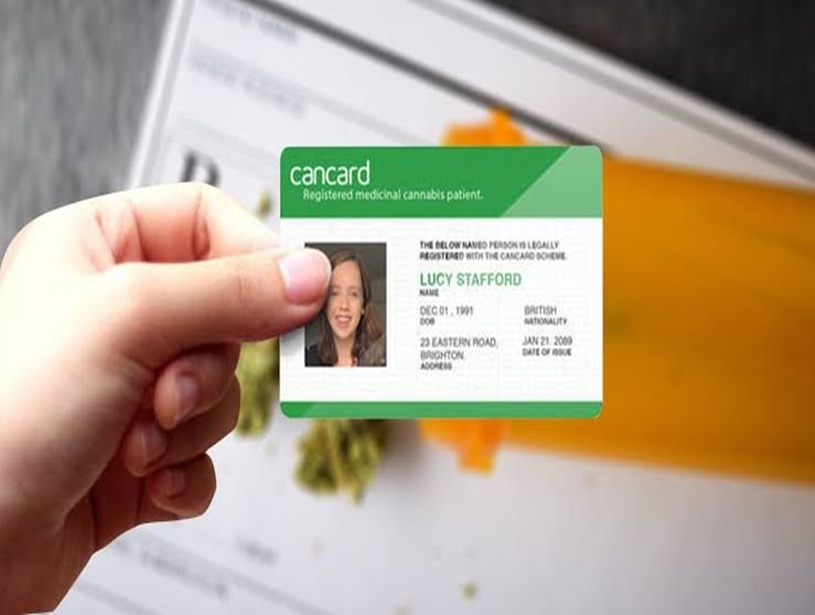
Applying for a state medical card can feel like learning a whole new language. Forms, fees, photo IDs – it’s a lot. This smooth‑talking roadmap breaks everything down into small, bite‑size steps so you can march through the Medical Card Application process with confidence – and nail it on your very first swing. No jargon, no stress, no mystery.
Table of Contents
- What This Guide Covers
- Quick Glance: Do You Even Need a Medical Card?
- The Pre‑Game Checklist – Paperwork and Prep
- Understanding the Medical Card Application Portal
- Step‑by‑Step Walk‑Through: From Account Setup to “Submit”
- Five Rookie Mistakes and How to Dodge Them
- Pro Tips for Smooth Sailing on Appointment Day
- How to Track Your Application Like a Pro
- Renewal 101 – Keeping Your Card Current
- FAQs – Straight Answers to Common Questions
- Final Thoughts and Next Moves
Quick Glance: Do You Even Need a Medical Card?
Before we dive in, pause for a reality check:
- State Rules Rule: Every state writes its own playbook. Adult-use cannabis is allowed in some places, though others remain focused exclusively on medical use.
- Qualifying Conditions Vary: One state might list insomnia; another requires something more serious.
- Age Matters: Under 18? Plan on designating a parent or legal guardian to serve as your caregiver.
If you still nod “yes” after that quick test, keep reading.
NOTE: No written certification. Patients don’t need Board of Pharmacy registration anymore because the Virginia Cannabis Control Authority now handles that job.
The Pre‑Game Checklist – Paperwork and Prep
Picture walking onto the basketball court with no shoes. That’s what submitting your application without prep feels like. Round up these essentials first:
| Must‑Have Item | Why It Matters | Tip to Get It Fast |
| Government‑issued photo ID | Proves who you are & where you live | Renew or update early if it’s expiring soon. |
| Proof of residency (utility bill, lease) | Stops out‑of‑state fakery | Snap clear pics; scan to PDF. |
| Medical records summary | Shows your qualifying condition | Ask your clinic’s front desk for a “summary of care” |
| Valid payment method (card or e‑check) | Covers application fee | Some portals reject prepaid cards – check ahead. |
| The email address you actually open | Receives status updates | Use the one you check daily, not that dusty inbox |
Extra Credit: Store all files in a single desktop folder named “Med Card Docs.” Drag‑and‑drop becomes way easier.
Understanding the Medical Card Application Portal
Most states run everything online nowadays. The portal handles:
- Account creation– choose a personalized username and a password that meets security standards.
- Document upload– drop in PDFs or clear JPEGs.
- Provider certification– some states let doctors upload straight to your profile, while others hand you a form.
- Payment– processing fee charged instantly.
- Status tracker– a neat little progress bar.
The portal rarely supports fancy mobile browsers. Use a laptop or desktop, sit somewhere with solid Wi‑Fi, and copy‑paste rather than re‑typing long numbers.
Step‑by‑Step Walk‑Through: From Account Setup to “Submit”
Follow these ten micro‑steps and you’ll cruise through the Medical Card Application like a pro:
- Create Your Profile
- Choose a password manager and store your login details.
- Double‑check your email typos – they can lock you out.
- Complete Identity Section
- Enter your legal name, not a nickname.
- Match every detail exactly as printed on your ID.
- Upload Residency Proof
- Crop photos so address lines are readable.
- File names like “UtilityBill_May2025.jpg” look tidy and help staff.
- Enter Medical Info
- Copy details straight from your doctor’s note.
- Avoid extra commentary in free‑text boxes.
- Attach Provider Certification
- If uploading yourself, scan at 300 dpi.
- Check that signatures are visible.
- Review Summary Page
- Read every line aloud – you’ll spot weird typos instantly.
- Fix red‑flag fields right away; don’t assume reviewers will.
- Pay Application Fee
- Keep a screenshot of the receipt page; print to PDF.
- Watch for pending charges on banking apps.
- Final Click: Submit
- Wait for the success banner.
- Confirm a confirmation email landed (check spam).
- Write Down the Submission Date
- Tape it to your refrigerator or sticky note app.
- Sets expectations for approval timeline.
- Log Out Securely
- Public computer? Clear browsing data.
That’s it. Grab a snack. You earned it.
Five Rookie Mistakes and How to Dodge Them
Nobody means to stumble, but these slip‑ups trip applicants every day:
- Blurry Photos – Grainy uploads slow approvals. Use daylight or a desk lamp.
- Expired ID – Reviewers reject instantly. Renew before applying.
- Mismatched Addresses – Your ID says road, and your bill says boulevard. Spell it one way everywhere.
- Wrong File Types – Portals love PDF, JPEG, and PNG. They hate HEIC and TIFF.
- Guessing on Medical Details – If unsure, ask your provider; don’t invent info.
Stick those mistakes on a sticky note near your laptop. Instant reminder.
Pro Tips for Smooth Sailing on Appointment Day
Most states still require a brief telehealth or face‑to‑face chat with a certified provider. Here’s how to keep the vibe chill:
- Test Tech Early: Open Zoom or Meet at least 10 minutes before your session starts.
- Gather Records: Have your digital folder open in another window.
- Ask Clarifying Questions: “Can you upload the certification directly?” saves you legwork.
- Be Honest But Concise: Your physician needs facts, not an epic saga.
- Schedule When Alert: Early afternoon beats 7 a.m. if you’re not a morning person.
Remember, providers handle dozens of patients daily. Clear, polite communication speeds everyone along.
How to Track Your Application Like a Pro
Waiting feels like watching paint dry. Instead of refreshing the portal twenty times a day, try this:
| Tracker Strategy | Description |
| Portal Checker | Log in once every 48 hours, not hourly. |
| Email Filters | Create an inbox label “Med Card” so status emails pop out. |
| SMS Notifications | Some portals offer text alerts – opt-in. |
| Calendar Reminders | Note the standard processing time, typically around 20 business days. |
| Support Ticket | If the window passes, open one polite ticket; include the submission date and reference number. |
Applicants who track smartly stress less.
Renewal 101 – Keeping Your Card Current
Nothing stings more than an expired card discovered at checkout. Avoid that face‑palm moment by planning a Medical Card Renewal Near Me two to three months before expiration. Different states set different renewal paths, but the backbone looks familiar:
- Review the expiry details- either your paper card or downloadable PDF.
- Book Follow‑up Visit – many states demand a fresh provider sign‑off.
- Update Personal Details – moved dorms? Switched phones? Fix it now.
- Submit Renewal Form – often shorter than the original application.
- Pay Renewal Fee – some states discount renewals; others don’t.
Set a phone alarm six months out, another three months out, and one final “last chance” alarm one month out. Your future self will high‑five you.
FAQs – Straight Answers to Common Questions
Q1. How long does approval take?
Timelines run from 24 hours to 30 days depending on state volume and staff. Check your portal’s average.
Q2. Can teens apply on their own?
Applicants under 18 generally need a parent or guardian caregiver linked to their profile.
Q3. My name changed after marriage – what now?
Update your ID first, then apply. The name you provide must be identical to the one shown on your valid government ID.
Q4. What if I accidentally uploaded the wrong file?
Most portals let you replace a document before approval. Use the edit function or email support.
Q5. I lost my card. Help!
Look for a “replacement card” option in the portal. Fees are often lower than a full renewal.
Q6. Do renewal steps differ from my first application?
They’re shorter but still require a valid provider certification and updated documents.
Q7. Can I speed up the process by mailing forms and applying online?
Pick one channel. Doubling up can cause duplicate files and delays.
Final Thoughts and Next Moves!
Landing your medical card on the first try isn’t rocket science. It’s more like assembling flat‑pack furniture: follow directions, organize parts, and tighten the screws in order. Gather key documents, double‑check details, and respect the portal’s preferred file types. Chat clearly with your provider, watch email for updates, and treat renewal as a built‑in calendar event rather than a surprise pop quiz.
By keeping things tidy, honest, and timely, you’ll glide through the Medical Card Application process and keep future renewals just as painless. Bookmark this guide, share it with a friend, and give yourself a pat on the back – you’re officially ready to crush that application!